Lists
TL;DR — A list is a saved set of the people you want to reach. Build it from filters, the map, or by hand — as a fixed snapshot (static) or one that updates itself (dynamic).
What it is
A list is a saved set of people you want to reach. It’s the who of a campaign: the roster an activity works through when volunteers canvass, call, or text.
You build a list by narrowing down everyone in your database to just the people who matter for a given effort — for example, undecided voters in Ward 3 who haven’t been contacted yet.
graph TD
    A[List]

    subgraph People[" "]
        B[Person 1]
        C[Person 2]
        D[Person 3]
        E[Person 4]
    end

    A --> People

    style A fill:#e1f5ff,stroke:#0066cc,stroke-width:3px
    style B fill:#fff4e6,stroke:#ff9800,stroke-width:2px
    style C fill:#fff4e6,stroke:#ff9800,stroke-width:2px
    style D fill:#fff4e6,stroke:#ff9800,stroke-width:2px
    style E fill:#fff4e6,stroke:#ff9800,stroke-width:2px
    style People fill:#f5f5f5,stroke:#666,stroke-width:2px
Two kinds of list
Every list is one of two kinds, and the choice decides whether it can change over time:
- Static — a fixed snapshot. The list captures exactly who matched your criteria at the moment you created it. Once it’s built, the set of people never changes, even if someone new would now qualify. Use this when you need a stable roster — e.g. a printed walk packet that shouldn’t shift underneath you.
- Dynamic — a living set defined by its filter criteria. As people in your database change, the list re-evaluates: someone who newly matches is added, and someone who no longer matches drops off. Use this when you always want “everyone who currently fits.”
Rule of thumb: Static = a photo. Dynamic = a live feed.
How a list is built
You can assemble the people in a list from any of these:
- Map boundaries — draw or select an area and pull in everyone inside it.
- Filters — narrow by attributes such as support level, tags, lawn-sign status, or membership.
- Manual selection — hand-pick specific people.
As you build it, the list shows a pending status while it’s being assembled, then flips to complete once it’s ready to use in an activity.
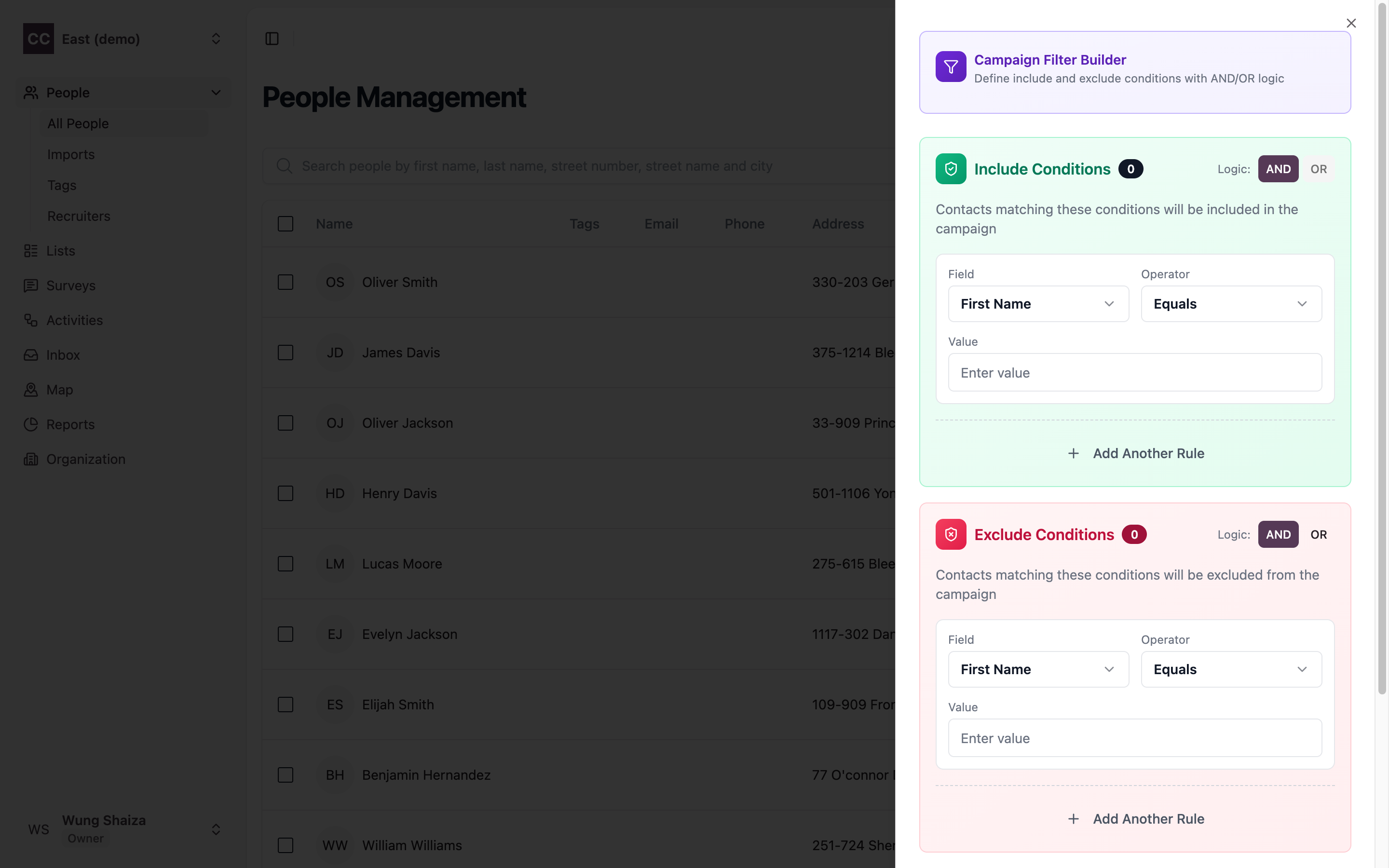
You build the people in a list on the People page: open Filter, define include/exclude conditions, and save the result as a list.
Terms
- List — a saved set of people.
- Static — fixed snapshot, never changes.
- Dynamic — re-evaluates as people change.
- Pending / Complete — whether the list is still being built or ready to use.
Related
- How it fits together — where lists sit in the bigger picture.
- Activities — the push that works through a list.